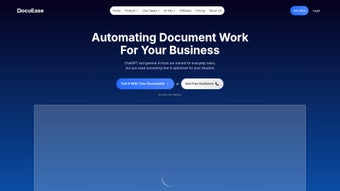

Download DocuEase – AI‑Powered Legal Document Management Tool
Overview
DocuEase is a cloud‑native, AI‑driven legal document management platform built for modern law firms, corporate legal departments, and solo practitioners who need to tame ever‑growing collections of contracts, pleadings, discovery files, and regulatory paperwork. By leveraging state‑of‑the‑art natural‑language processing (NLP) and deep‑learning models that have been trained on millions of legal texts, DocuEase can instantly generate executive‑level summaries, flag high‑risk clauses, and surface the most pertinent case law—all while preserving the nuanced language that can make or break a courtroom argument. The platform’s primary promise is to transform “hours of reading” into “minutes of insight,” freeing attorneys to focus on strategy, client counseling, and advocacy rather than manual document triage.
In addition to rapid summarization, DocuEase offers a robust editing suite that rewrites passages for clarity, checks compliance against jurisdiction‑specific statutes, and enforces a consistent tone across all client‑facing communications. Its built‑in research engine indexes federal, state, and international authorities in real time, delivering citation‑ready results directly within the document view. Because the solution lives entirely in the browser, teams can collaborate on a single source of truth, leave threaded comments, and track revision history without juggling multiple file versions.
Security is baked into every layer: end‑to‑end AES‑256 encryption, role‑based access controls, regular third‑party audits, and ISO‑27001 certification ensure that privileged client information remains confidential. Whether you are a solo practitioner aiming to reduce billable hours or a large firm seeking standardized contract review workflows, DocuEase promises a faster, more accurate, and more collaborative way to manage legal documents.
Core Features that Set DocuEase Apart
- AI Summarization Engine: Generates concise executive summaries of contracts, pleadings, and discovery documents in seconds, highlighting key obligations, dates, and monetary values.
- Clause Risk Analyzer: Detects high‑risk language (e.g., indemnity, limitation of liability) and suggests alternative wording to mitigate exposure.
- Smart Editing Suite: Offers contextual rewrite suggestions, grammar checks, and compliance checks aligned with local statutes and industry standards.
- Integrated Legal Research: Searches federal, state, and international case law, statutes, and regulations, delivering citation‑ready results directly within the document view.
- Collaboration Hub: Real‑time co‑authoring, comment threads, and version control that keep every stakeholder on the same page.
- Secure Cloud Architecture: AES‑256 encryption, two‑factor authentication, and ISO‑27001 compliance to protect privileged information.
- Customizable Workflows: Drag‑and‑drop templates, automated task assignments, and email notifications streamline the due‑diligence process.
- Analytics Dashboard: Provides insight into review times, clause frequency, and risk exposure across your entire document library.
- Export Options: One‑click export to PDF, Word, or HTML while preserving AI‑generated annotations and comments.
- Continuous Updates: Monthly model retraining ensures the AI stays current with evolving legal terminology and emerging case law.
Each capability is built on a modular architecture that lets firms enable only the tools they need, keeping the user interface clean and intuitive. For instance, a boutique IP practice might prioritize the research engine and clause analyzer, whereas a corporate M&A team will lean heavily on summarization and workflow automation. The platform also supports robust API integration, allowing legacy document‑management systems such as iManage, NetDocuments, or OpenText to call DocuEase services directly.
This approach preserves existing investments while adding a layer of AI‑driven intelligence that dramatically accelerates document review cycles. Moreover, DocuEase’s multilingual support roadmap ensures that firms operating across borders can soon benefit from the same AI accuracy in Spanish, French, and Mandarin, further expanding its global applicability. The result is a single, secure workspace where lawyers can ingest, analyze, edit, and share legal content without ever leaving the browser.
Installation & Usage Instructions – Get Started in Minutes
Because DocuEase is a pure SaaS solution, there is no traditional installation or client‑side updates. Users can begin working from any modern browser on Windows, macOS, Linux, or mobile devices. Follow the step‑by‑step onboarding guide below to ensure a seamless experience:
1. Sign Up for a Free Trial
Navigate to the official DocuEase website and click the “Start Free Trial” button. Provide a professional email address, firm name, and preferred billing cycle. After confirming your email, you’ll receive a secure activation link that grants immediate access to the full platform.
2. Configure Your Workspace
The first‑login wizard walks you through creating workspaces that mirror your practice areas—Contracts, Litigation, IP, Compliance, etc. Assign role‑based permissions (Partner, Associate, Paralegal) so each user sees only the documents relevant to their responsibilities.
3. Upload or Sync Documents
Drag‑and‑drop files directly into the web interface or connect cloud storage providers such as Google Drive, OneDrive, Dropbox, or Box. DocuEase automatically extracts text from PDFs, scanned images (via OCR), and Microsoft Word files, preparing them for AI analysis without manual preprocessing.
4. Run AI Summaries
Select any document and click the “Summarize” button. Within seconds the AI presents a concise overview, highlighting obligations, deadlines, and monetary terms. Use the length slider to toggle between a one‑paragraph brief and a detailed outline, depending on the depth of insight you need.
5. Review, Edit, and Ensure Compliance
Leverage the Smart Editing Suite to accept or reject suggested rewrites. The platform flags potential compliance issues and offers jurisdiction‑specific alternatives, all while maintaining a full audit trail that can be reverted at any time.
6. Conduct Real‑Time Legal Research
Highlight any phrase or citation and click “Research.” DocuEase instantly pulls relevant statutes, case law, and secondary sources, inserting properly formatted citations directly into your document.
7. Collaborate and Export
Invite teammates to comment or co‑author in real time. When the review is complete, export the file in PDF, Word, or HTML while preserving AI‑generated annotations for future reference. Throughout the process, contextual tooltips, video tutorials, and a 24/7 live‑chat support channel are available to answer any questions.
Because the platform is continuously updated in the cloud, new features such as multilingual support or advanced predictive analytics appear automatically—no patches, no downloads, and no downtime.
Compatibility, Pros & Cons, FAQ & Conclusion
DocuEase runs entirely in the browser, making it compatible with the latest versions of Chrome, Firefox, Safari, and Edge on Windows 10/11, macOS Ventura and later, as well as Linux distributions that support modern web standards. Dedicated mobile apps are available for iOS 15+ and Android 9+, ensuring attorneys can review documents on the go. Since the application is cloud‑based, there is no need for local storage or high‑end CPU resources; a stable internet connection (minimum 5 Mbps) is the only technical prerequisite.
Pros
- Lightning‑fast AI summarization reduces review time by up to 70 %.
- Built‑in risk analysis catches problematic clauses before they become liabilities.
- Secure, encrypted cloud environment meets strict confidentiality standards.
- Seamless integration with popular DMS platforms via API.
- Scalable pricing plans suitable for solo practitioners to enterprise firms.
- Continuous model updates keep the AI current with evolving legal language.
- Intuitive UI requires minimal training; most users become proficient after one session.
- Multilingual roadmap expands utility for global practices.
- Robust analytics provide actionable insights into document risk exposure.
- 24/7 live‑chat support and extensive knowledge base reduce onboarding friction.
Cons
- Reliance on an internet connection may be a limitation in low‑bandwidth environments.
- Subscription cost can be higher than basic document‑management tools for small firms.
- Advanced features (e.g., predictive outcomes) are only available in higher‑tier plans.
- Learning curve for non‑technical lawyers when customizing workflow automations.
- Initial data migration from legacy systems may require professional services.
Is DocuEase compliant with GDPR and other data‑privacy regulations?
Yes. DocuEase is hosted in EU‑compliant data centers, offers data residency options, and provides tools for data subject requests, ensuring full GDPR, CCPA, and HIPAA compliance.
Can I integrate DocuEase with my existing document‑management system?
Absolutely. DocuEase provides RESTful APIs and pre‑built connectors for iManage, NetDocuments, SharePoint, and OpenText, allowing seamless two‑way synchronization.
How does the AI handle jurisdiction‑specific terminology?
The model has been trained on region‑specific corpora and can detect the governing law of a document. It then applies the appropriate legal glossary and compliance rules for that jurisdiction.
What level of support is included with the subscription?
All plans include 24/7 live chat and email support. Premium tiers receive a dedicated account manager and priority response within two hours.
Is there a trial period before committing to a paid plan?
Yes. DocuEase offers a 14‑day free trial with full access to all features, allowing you to evaluate its impact on your workflow without any credit‑card obligation.
In today’s fast‑paced legal environment, extracting actionable insight from massive document sets in seconds is no longer a luxury—it’s a competitive necessity. DocuEase delivers that capability through a secure, AI‑driven platform that blends summarization, risk analysis, and research into a single collaborative workspace. While the subscription price reflects the advanced technology and compliance guarantees, the time saved on document review, the reduction in human error, and the ability to serve clients more efficiently make DocuEase a high‑ROI investment for firms of any size. Ready to experience a smarter way to manage legal documents? Download DocuEase today and start your free trial—transform the way you work, protect your clients, and stay ahead of the curve.



.png)



